
01Presets & global controls
Click the name to browse; use the disk to save (* marks edits). D enables Drone; the output readout sets the final level.
Decompile. Explore. Recompile.
Download PDF guide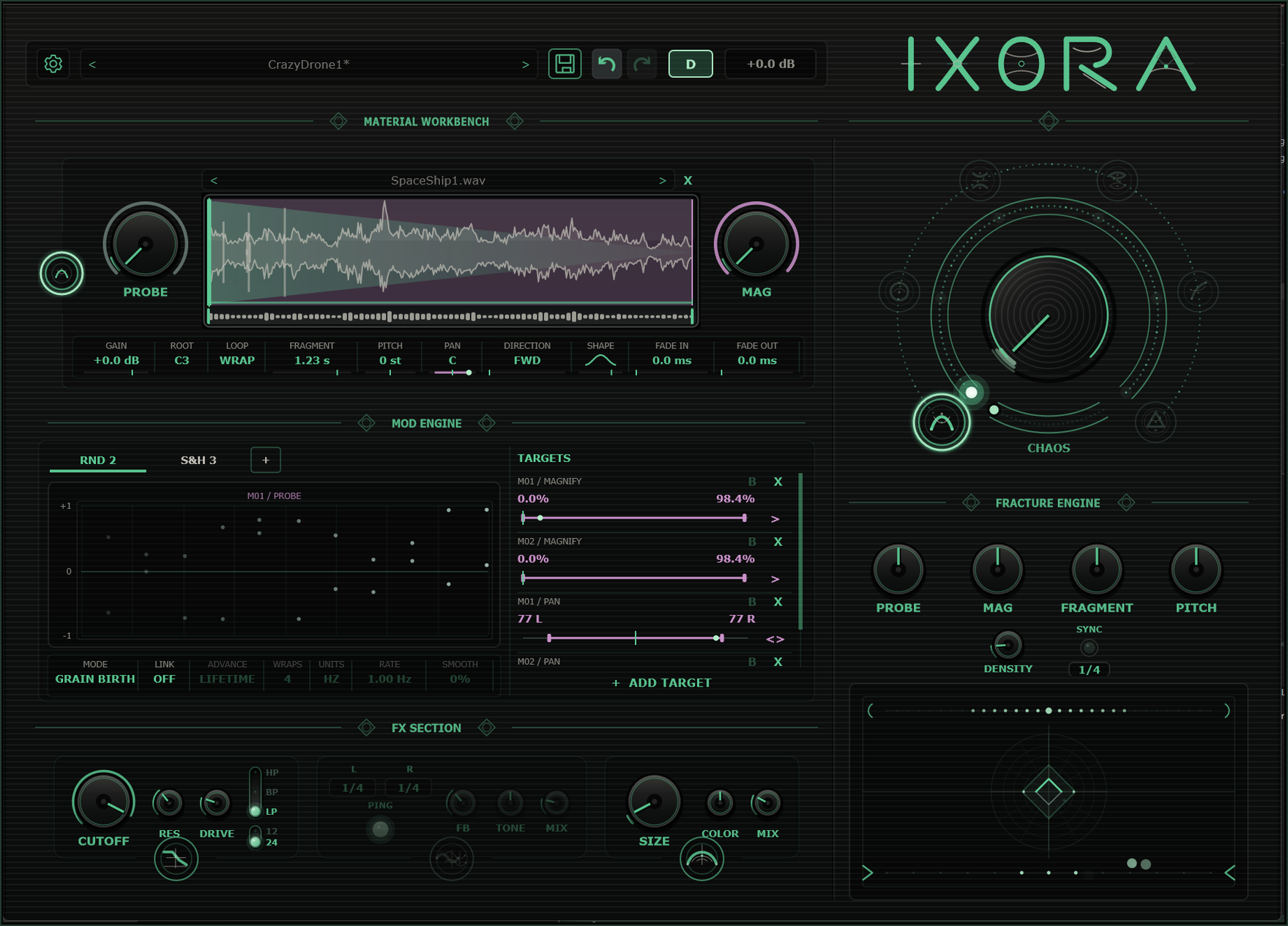
Click the name to browse; use the disk to save (* marks edits). D enables Drone; the output readout sets the final level.
Drop audio on the waveform, then trim with the lower handles. Probe moves through the sample; Mag focuses on a smaller region. Click a surrounding glyph to edit one of six materials.
The large knob chooses which audible material supplies each grain. Chaos randomizes that choice. The glyphs on the outer rim select the workbench Focus. Right-click a material glyph for Bypass, Solo and layer actions.
Use + to add up to eight modulators. Select a tab to edit its shape or random behavior. Targets expose range, polarity (> / <>), bypass (B) and removal (X).
Workbench values affect one layer. Fracture macros offset all layers; zero preserves each layer's setting.
Filter, delay and Space shape the combined output. Click each round effect glyph to enable or bypass its block.
Hold Shift briefly to reveal available targets; other controls dim.
Refine its range under Targets.